> ## Documentation Index
> Fetch the complete documentation index at: https://s2.dev/docs/llms.txt
> Use this file to discover all available pages before exploring further.
# Bento
> Connect Bento pipelines to S2 with S2 input and output components for lightweight stream processing.
## Reference
Documentation for the S2 components for Bento is available at:
* [S2 Input](https://warpstreamlabs.github.io/bento/docs/components/inputs/s2)
* [S2 Output](https://warpstreamlabs.github.io/bento/docs/components/outputs/s2)
## Getting started
We are going to take inputs from a number of S2 streams, process the records using Bento, and output the records merged into another S2 stream.
### Prerequisites
Generate an access token by logging into the [dashboard](https://s2.dev/dashboard) and set the `S2_ACCESS_TOKEN` environment variable:
```bash theme={null}
export S2_ACCESS_TOKEN="YOUR_ACCESS_TOKEN"
```
Install the [S2 CLI](/quickstart#get-started-with-the-cli) and set the access token:
```bash theme={null}
s2 config set access_token ${S2_ACCESS_TOKEN}
```
Install the latest version of the [Bento CLI](https://warpstreamlabs.github.io/bento/docs/guides/getting_started#install):
```bash theme={null}
curl -Lsf https://warpstreamlabs.github.io/bento/sh/install | bash
```
Ensure that the CLI supports the S2 plugin:
```bash theme={null}
bento list | grep 's2$'
```
### Setup
Basin names are globally unique. They must be between 8 and 48 characters long and comprise lowercase letters, numbers and hyphens. They cannot begin or end with a hyphen.
```bash theme={null}
export MY_BASIN_NAME="YOUR_BASIN_NAME"
s2 create-basin ${MY_BASIN_NAME}
```
Create source streams with the prefix `pup/` and append some "woofs":
```bash theme={null}
PUP_NAMES=("buddy" "yoyo" "scooby")
for PUP in "${PUP_NAMES[@]}"; do
s2 create-stream "s2://${MY_BASIN_NAME}/pup/${PUP}"
# Generate and append 10000 random woofs.
for _ in {1..10000}; do
echo "${RANDOM}"
done | s2 append "s2://${MY_BASIN_NAME}/pup/${PUP}"
done
```
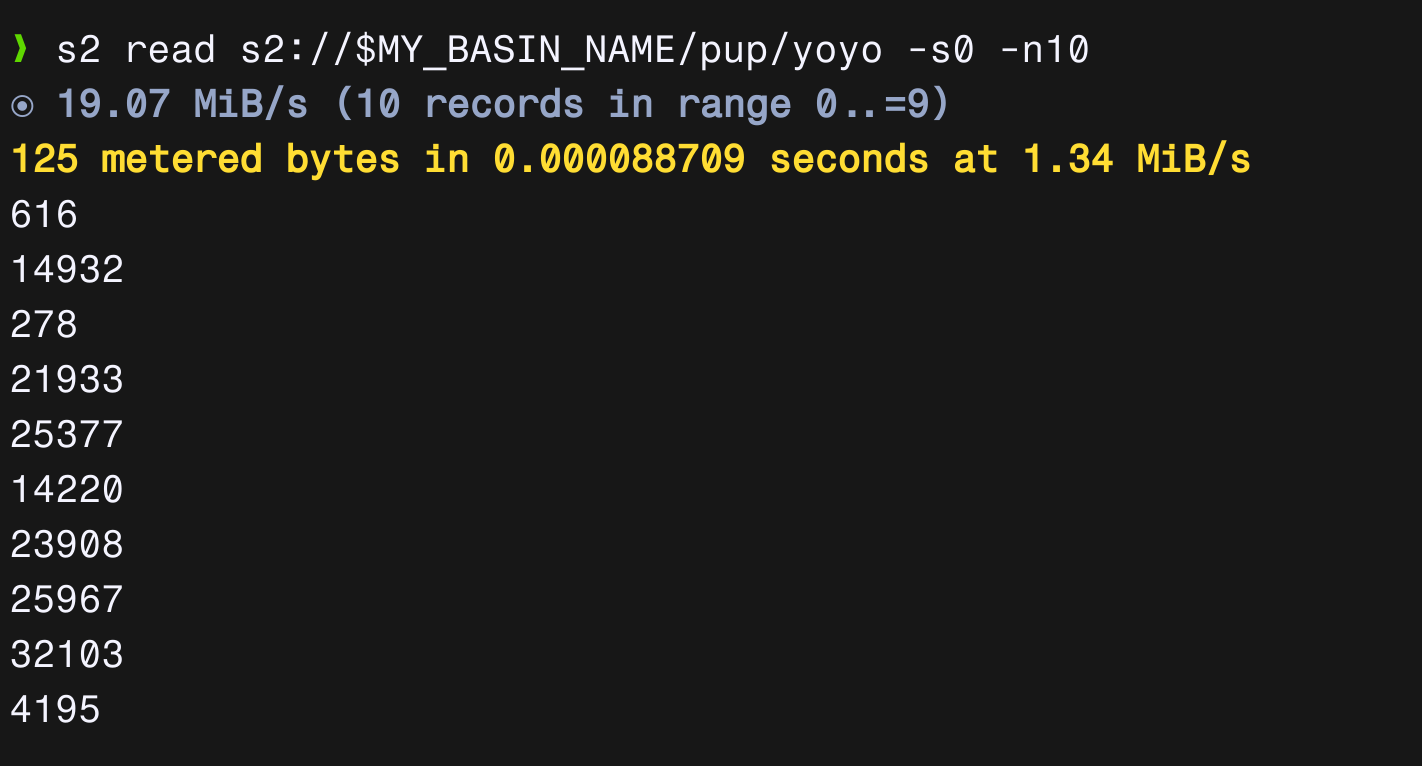
We can verify that the streams have been appended with random numbers using:
```bash theme={null}
s2 read s2://${MY_BASIN_NAME}/pup/yoyo -n 10
```
The above command should output a list of 10 random numbers.
 Create a new stream called `woofs` to store the processed records:
```bash theme={null}
s2 create-stream "s2://${MY_BASIN_NAME}/woofs"
```
### The Pipeline
Create a file called `woof-pipeline.yml`:
```yaml theme={null}
cache_resources:
- label: seq_num_cache
noop: {}
input:
label: woof_input
s2:
basin: ${MY_BASIN_NAME}
# All streams with the prefix `pup/`
streams: pup/
auth_token: ${S2_ACCESS_TOKEN}
cache: seq_num_cache
pipeline:
processors:
- mapping: |
root = "%v woofs from %s".format(this, meta("s2_stream").re_replace("^pup/", ""))
output:
label: woof_output
s2:
basin: ${MY_BASIN_NAME}
stream: woofs
auth_token: ${S2_ACCESS_TOKEN}
```
Start the pipeline using:
```bash theme={null}
bento -c woof-pipeline.yml
```
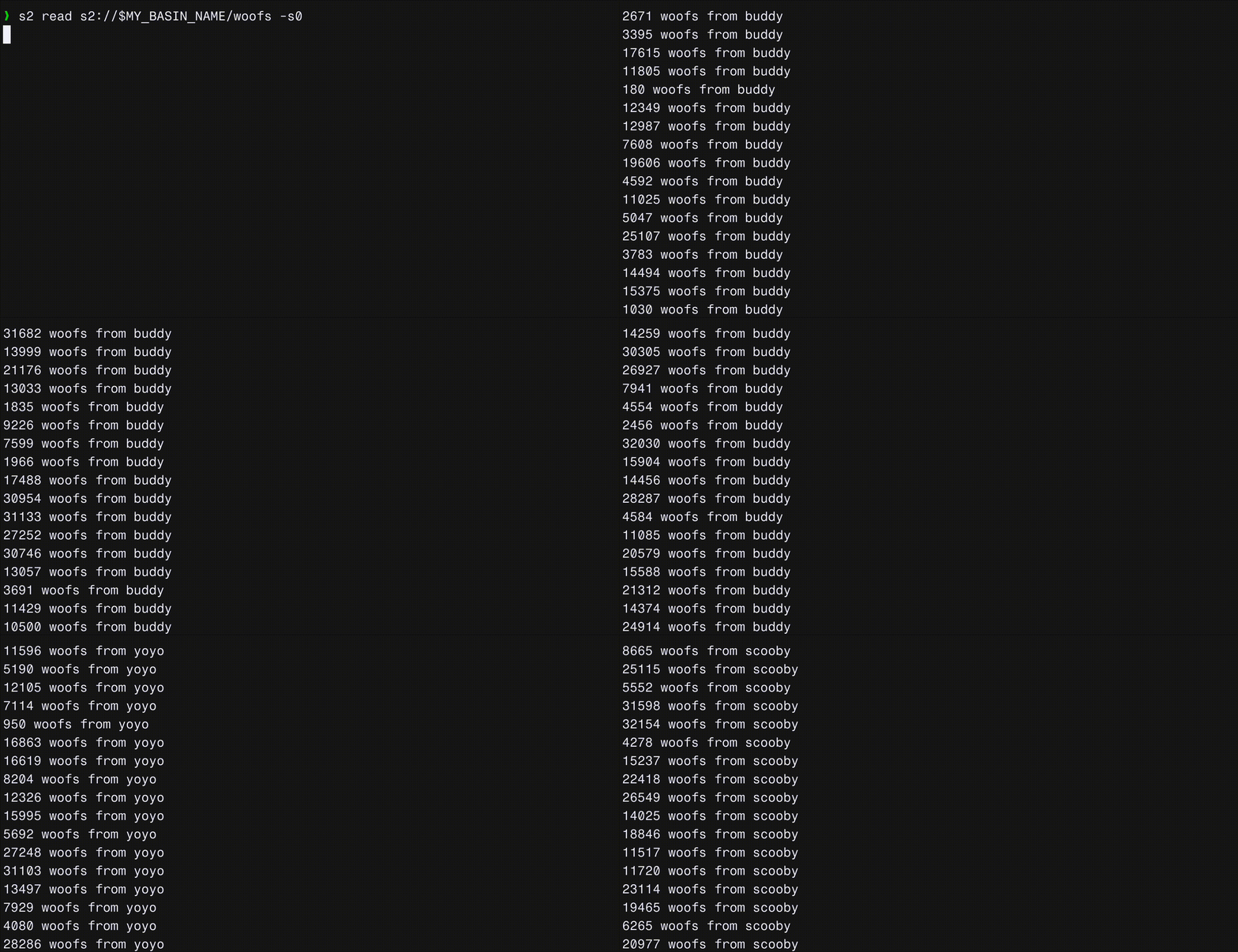
Open up another terminal and see the records being appended to the `woofs` stream:
```bash theme={null}
s2 read s2://${MY_BASIN_NAME}/woofs
```
Create a new stream called `woofs` to store the processed records:
```bash theme={null}
s2 create-stream "s2://${MY_BASIN_NAME}/woofs"
```
### The Pipeline
Create a file called `woof-pipeline.yml`:
```yaml theme={null}
cache_resources:
- label: seq_num_cache
noop: {}
input:
label: woof_input
s2:
basin: ${MY_BASIN_NAME}
# All streams with the prefix `pup/`
streams: pup/
auth_token: ${S2_ACCESS_TOKEN}
cache: seq_num_cache
pipeline:
processors:
- mapping: |
root = "%v woofs from %s".format(this, meta("s2_stream").re_replace("^pup/", ""))
output:
label: woof_output
s2:
basin: ${MY_BASIN_NAME}
stream: woofs
auth_token: ${S2_ACCESS_TOKEN}
```
Start the pipeline using:
```bash theme={null}
bento -c woof-pipeline.yml
```
Open up another terminal and see the records being appended to the `woofs` stream:
```bash theme={null}
s2 read s2://${MY_BASIN_NAME}/woofs
```